
How do I check if I’m Recheck Certified?
To check whether you're Recheck Certified, follow the steps below:
Log in to Recheck and go to your Recheck profile.
Look for the purple Certified badge next to your name (see below). If it’s there, you’re Certified.
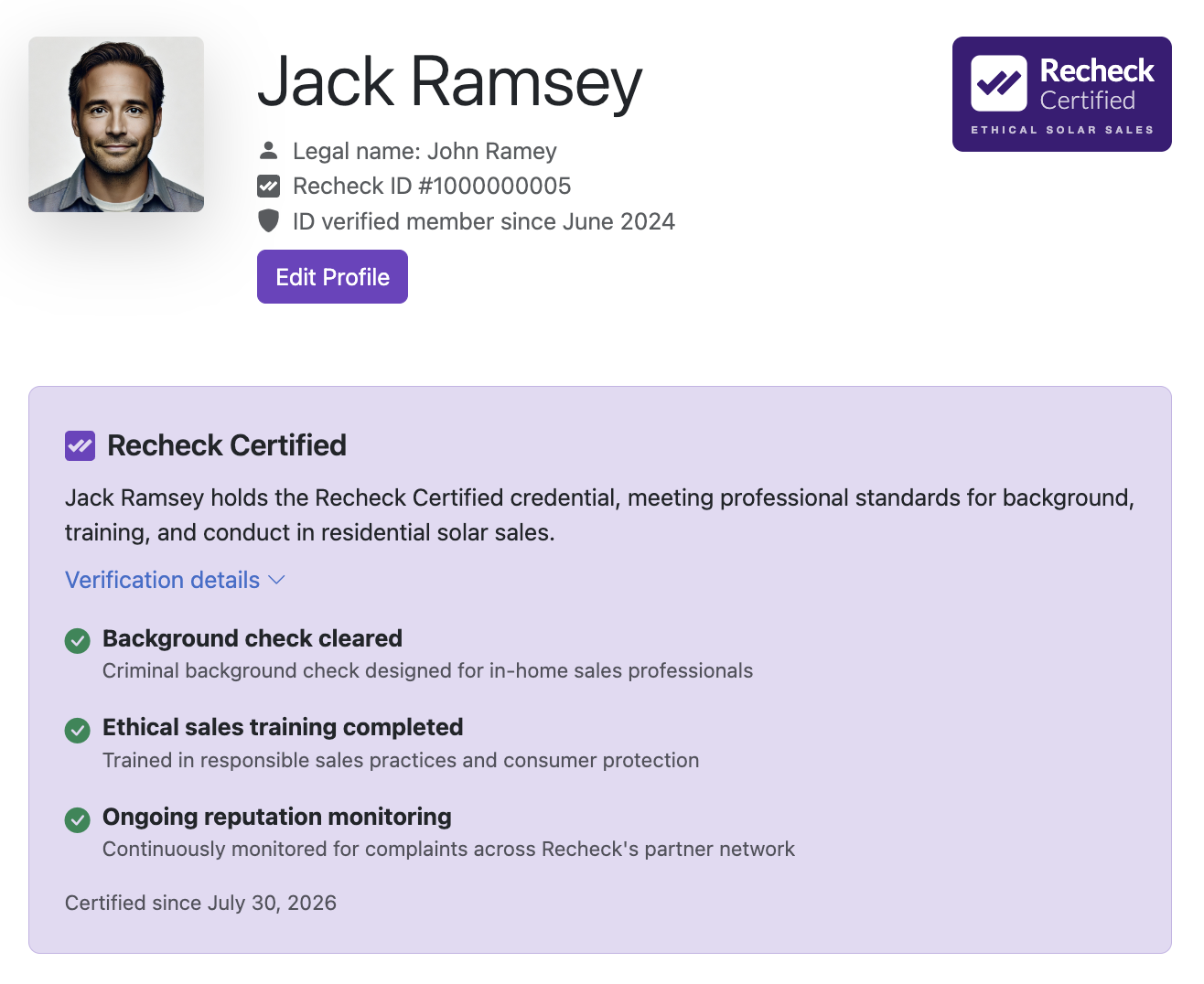
No badge means you’re not Certified yet. If you’ve started, but not yet completed Certification, click "Continue Certification" from your profile page or visit https://recheck.co/account/get-certified/ to pick up where you left off.
If your installer says you are not Certified, two different things could be going on:
You’re not Certified yet. Check your profile using the steps above.
You’re Certified but not linked to their team. Your installer can only see your status reflected in their Team roster if your Recheck account is connected to their business account. See how to associate your account with a company here.