How do I add my license to my Recheck profile?
Adding your Home Improvement Salesperson (HIS) license to your profile lets installers, EPCs, and homeowners verify you're licensed to sell in your state.
Recheck currently supports Home Improvement Salesperson (HIS) licenses in California, Connecticut, and Maryland, as well as Residential Solar Salesperson licenses in Texas.
Note: If you have a license type that is not currently supported, we recommend adding the license information to the 'About' section of your profile.
To add a CA, CT, MD or TX license to your Recheck profile:
Navigate to your Recheck profile
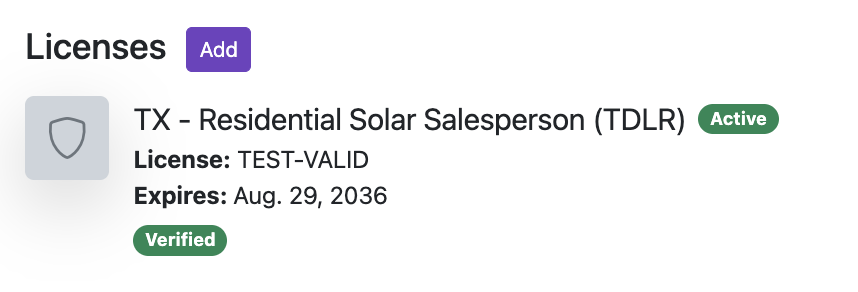
Click 'Add' in the Licenses section

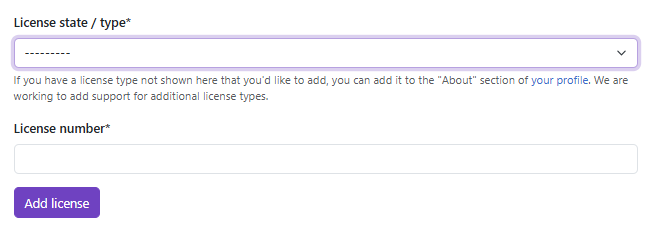
Select your license state/type from the dropdown
Enter your license number without the prefix or suffix
Click 'Add license'
Once added, your license will be automatically verified against the records of the issuing licensing board. If auto-verification fails, the license will appear as 'Pending Verification' in your profile and will be subject to manual verification by the Recheck team.
Once verified, your license (and the associated status) will be displayed on your Recheck profile.